University of Lagos (UNILAG)
UNILAG 1st Batch Merit Admission List 2025/2026 Out

The University of Lagos (UNILAG) has published its 2025/2026 admission list. Candidates are advised to check their admission status on the JAMB CAPS portal and follow the listed steps to confirm acceptance. Read on for full details and helpful tips.

Ah, the wait is finally over. The University of Lagos, fondly called UNILAG, has rolled out the admission list for the 2025/2026 academic year. You could almost hear a sigh of relief from thousands of applicants across the country. If you’ve been refreshing your portal every morning, this might just be your lucky moment.


So, what’s next? Grab your device, take a deep breath, and let’s walk through the process. Nothing too fancy here, just simple steps to find out if your name made it to the list.

How to Check the UNILAG Admission List

At the moment, the only way to confirm your status is through the JAMB CAPS portal. Yep, that’s where the truth lies. Here’s how to get it done:

  • Head over to the JAMB E-Facility Portal.
  • Log in using your JAMB-registered email and password.
  • Scroll down a bit and click “Check Admission Status.”
  • Select “Access my CAPS.”
  • Then click “Admission Status” to see what fate has to say.

If you’re using a phone and can’t find the “Admission Status” option, don’t panic. Many mobile browsers only show a welcome message. Just switch to Desktop Mode in your Chrome browser and try again. Easy fix.

Understanding Your JAMB CAPS Status

When you finally open the page, you might see one of several messages. Here’s what each one means in plain language:

  • ADMISSION OFFERED: Big congratulations! You’ve been accepted by JAMB. You can now accept or reject the offer right on the portal.
  • ADMISSION IN PROGRESS (AIP): Your name is under review. The school has recommended you, but the process still needs a nod from both the school head and JAMB.
  • RECOMMENDED: You’ve been given a thumbs-up by UNILAG, and JAMB is taking one last look before making it official.
  • NOT ADMITTED: Not yet. This could mean the list is still being updated or your case is still pending. Don’t lose hope—sometimes the next batch tells a different story.
  • PENDING: Your application is still under review, and the final call hasn’t been made.

What to Do After Getting Admitted

Once you see that golden line—ADMISSION OFFERED—don’t just smile and walk away. There are a few things to sort out first:

  • Send ACCEPT or REJECT to 55019 or 66019 using the same phone number linked to your JAMB profile.
  • After accepting, print your JAMB Admission Letter. You’ll need this for clearance and registration later on.

A small word of advice: make sure you print and save copies of everything. You’ll thank yourself when it’s time for documentation.

Some Quick Notes for Mobile Users

If you’re checking from a phone, it can be a bit tricky. Like I said earlier, the Admission Status button sometimes hides. Switching to Desktop Mode usually does the trick. To do that, go to Chrome’s settings and tick Request Desktop Site. It’s a simple click that saves a lot of wahala.

Federal University Lokoja fulokoja
FULOKOJA Releases Admission List for 2025/2026 Session

Federal University Lokoja (FULOKOJA) has published its 2025/2026 admission list. Applicants are urged to check their JAMB CAPS portal to confirm their admission status and follow the outlined steps. Kindly read below for full instructions and useful tips.

There’s a certain kind of hush that falls around this time every year. Students checking their phones every few minutes, parents asking, “Any news yet?” and that tiny flutter of hope sitting in everyone’s chest. Well, the wait is over. The Federal University Lokoja (FULOKOJA) has released the much-anticipated admission list for the 2025/2026 academic session.


If you applied for FULOKOJA, now’s the time to find out if your name made it. Don’t worry, the process isn’t tricky at all—just a few clicks and you’re there.

How to Check the FULOKOJA Admission List

At the moment, the only official way to check is through the JAMB CAPS portal. It’s quick, straightforward, and reliable. Here’s how to go about it:

  • Go to the JAMB E-Facility portal.
  • Sign in using your JAMB-registered email and password.
  • Scroll down and click on Check Admission Status.
  • Then select Access my CAPS.
  • Click on Admission Status to see if you’ve been offered admission into FULOKOJA.

Some folks run into a small snag while using their phones. If the “Admission Status” tab doesn’t appear, switch your browser to Desktop Mode. Google Chrome is your best bet for this. Just tap the three dots at the top right and tick “Request Desktop Site.” Easy peasy.

Understanding the JAMB CAPS Responses

Once you open your page, don’t be thrown off by what you see. Each message has a meaning, and here’s what they stand for:

  • ADMISSION OFFERED: Big congratulations! You’ve been officially admitted by JAMB. Go ahead and accept or reject your offer through the CAPS portal.
  • ADMISSION IN PROGRESS (AIP): Your file is moving. The school has recommended you, but the process still needs to be confirmed by both the Head of Institution and JAMB.
  • RECOMMENDED: The school has said yes to you, and JAMB is doing its own review to finalise things.
  • NOT ADMITTED: It’s not over yet. It might just mean your department hasn’t released its list or that your name is still under review.
  • PENDING: Your case is still being considered. Just hold on a little longer.

Sometimes the portal moves slow, so if you see “AIP” for a while, don’t panic. These things take time, like cooking beans—slow, but it gets there eventually.

What to Do After Being Offered Admission

Once your portal shows ADMISSION OFFERED, take the next steps right away:

  • Send ACCEPT or REJECT to 55019 or 66019 using the phone number linked to your JAMB profile.
  • After accepting, print your JAMB Admission Letter. You’ll need it for clearance and registration, so don’t skip this step.

And please, print out your documents neatly. It might feel like a small thing now, but it can save you from headaches later during verification.

A Quick Word for Mobile Users

If your page looks funny or half-loaded, don’t stress. Mobile browsers sometimes hide important buttons. Just use Chrome, switch to Desktop Mode, and refresh. You’ll see everything clearly. No magic needed.

KADPOLY
KADPOLY ND Full-Time Admission List 2025/2026 Out

Kaduna Polytechnic (KADPOLY) has released the National Diploma (ND) admission list for the 2025/2026 session. Candidates can now check their admission status online via the school or JAMB portal. Read below for full steps and what to do next after confirmation.

If you’ve been waiting for news from Kaduna Polytechnic, the wait is finally over. The polytechnic has released its National Diploma (ND) admission list for the 2025/2026 academic year. For many applicants, this is that heart-stopping moment where excitement meets nerves—because one click decides what the next year of your life might look like.

The Big Update from KADPOLY

Kaduna Polytechnic, known for its strong mix of technical and practical learning, has officially published the admission list for candidates who applied for ND programmes. Whether you applied straight out of secondary school or through other entry routes, it’s time to confirm your spot.


No need to rush to the school gate or crowd notice boards under the sun—everything is now available online. You can check your admission status from your phone, laptop, or cyber café in just a few steps.

How to Check Kaduna Polytechnic Admission List

Let’s get straight to it. To confirm if you made the list, follow these steps carefully:

  1. Visit the official Kaduna Polytechnic Admission Portal at kadunapoly.edu.ng/students/check-admission
  2. Enter your Application Number in the space provided.
  3. Click the ‘Check’ button and wait a few seconds.
  4. Your admission status will appear right there on the screen.

If your name pops up, congratulations—you’re officially in! But if not, don’t panic yet. There’s another way to double-check.

Checking Through the JAMB Portal

Sometimes the school portal takes a little while to sync with the Joint Admissions and Matriculation Board (JAMB) system, so it’s smart to confirm on both ends. Here’s how to do that:

  1. Go to the JAMB eFacility Portal at efacility.jamb.gov.ng/
  2. Log in using your JAMB profile username and password.
  3. Click on the ‘Check Admission Status’ tab.
  4. Choose your exam year and enter your JAMB registration number.
  5. Click ‘Check Admission Status’ again to view your Kaduna Polytechnic details.

If you see “Admission Offered”, that’s your green light. Time to move on to the next step.

What to Do After Checking Your KADPOLY Admission

Getting in is only half the story, right? To fully secure your spot, you’ll need to complete a few simple but important steps:

  • Log in to JAMB CAPS and click “Accept Admission” (or reject it, if you’ve got another offer elsewhere).
  • After accepting, go ahead to print your JAMB admission letter.
  • Keep copies of your admission slip and JAMB letter—they’ll be needed when you resume registration at the school.

And if you didn’t find your name this time, don’t lose hope. Some lists come out in batches, and JAMB updates occasionally. Just keep checking.

Kaduna Poly HND Admission List 2025/2026 Released

Kaduna Polytechnic (KADPOLY) has released the HND admission list for the 2025/2026 session. Successful candidates can now check their status on the official portal using their application number. Read below for full details and what to do if your name hasn’t appeared yet.

Good news just dropped from Kaduna! The Kaduna Polytechnic (KADPOLY) has officially released its Higher National Diploma (HND) admission list for the 2025/2026 academic year. For many applicants, it’s that moment of truth—after weeks of refreshing the portal, hoping to see their name pop up at last.


The list confirms candidates who’ve been offered admission into different HND programmes across the polytechnic’s departments. Whether you’ve been waiting anxiously since you submitted your form or you’re just hearing the news, now’s your chance to find out where you stand.

How to Check the KADPOLY HND Admission List

Checking your admission status is pretty straightforward. You don’t need to visit the campus or call any contact person—everything is available online.

Here’s how to go about it:

  1. Head over to the official Kaduna Polytechnic Admission Status Portalkadunapoly.edu.ng/students/check-admission.
  2. Type in your Application Number in the space provided.
  3. Click on “Check” and wait a few seconds for the result to load.
  4. Your admission status will be displayed on the screen.

If you see your name, congrats! You’ve crossed a major hurdle. But if it’s not there yet, don’t panic. Sometimes, it takes a while for the next batch to show up.

For Candidates Not Yet Admitted

So, what if you checked and didn’t find your name? Take a breath—don’t go thinking the worst. Kaduna Polytechnic usually updates its list in stages, and there’s a good chance more names will be added soon.

The best thing to do is keep checking the portal regularly. Admission updates can roll out in batches, and missing one can mean waiting longer than you should.

Also, double-check that your application details are correct. A small typing mistake, like mixing up numbers in your application ID, can make it seem like you weren’t admitted when you actually were.

Congratulations to the New Admits

For those who’ve made the list—well done! You’ve officially been welcomed into the next phase of your academic life. This isn’t just another school admission; it’s an upgrade, a step closer to professional mastery.

FUEZ
FUEZ 1st Batch Merit Admission List 2025/2026 Out

Federal University of Education, Zaria (FUEZ) has released the admission list for the 2025/2026 academic session. Candidates can now check their admission status through the JAMB CAPS portal and accept their offers. Follow the simple steps below to confirm your spot and begin your registration.

If you’ve been waiting for the Federal University of Education, Zaria (FUEZ) admission news, your wait is finally over. The university has announced the release of its 2025/2026 admission list, and candidates can now check their status online through the JAMB CAPS portal. For many, it’s that heart-pounding moment where excitement meets fear—refreshing the page over and over, hoping your name pops up.


The Admission List Is Out

Yes, it’s official. The Federal University of Education, Zaria has published its list of admitted candidates for the new academic year. This means if you applied for admission into FUEZ, it’s time to find out where you stand.

Checking your status is simple enough. The process is all online now—no need to travel to campus or crowd the notice boards under the sun. All you need is your JAMB login details and a few quiet minutes to check.

How to Check FUEZ Admission Status

Follow these steps carefully:

  1. Visit the JAMB EFacility portal at https://efacility.jamb.gov.ng/.
  2. Log in using your JAMB username and password.
  3. Scroll down and click on “Check Admission Status.”
  4. Tap “Access my CAPS” and then select “Admission Status.”
  5. You’ll immediately see if you’ve been offered admission into FUEZ.

If you’re on mobile and can’t find the full options, don’t worry. Just switch your browser to desktop mode (it works best on Chrome). That usually solves the problem.

Understanding What Each Status Means

Sometimes what you see on the portal might leave you scratching your head, so here’s a quick breakdown:

  • ADMISSION OFFERED: Congratulations! You’ve been officially offered admission. Go ahead and accept or reject the offer on your CAPS portal.
  • ADMISSION IN PROGRESS (AIP): You’re close! Your school has recommended you for admission, and JAMB is reviewing it for final approval.
  • RECOMMENDED: Your name is on the school’s internal list, waiting for JAMB’s green light.
  • NOT ADMITTED: You haven’t been offered admission yet. Don’t lose hope—more batches may still be uploaded.
  • PENDING: Your application is still being reviewed, so hang tight.

What to Do After You’re Offered Admission

Once you see “ADMISSION OFFERED,” here’s what comes next:

  • Accept or reject the offer by sending ACCEPT or REJECT to 55019 or 66019 using your phone number linked to JAMB.
  • After accepting, print your JAMB admission letter.
  • Keep both your admission slip and letter safe—they’ll be needed when you start registration at FUEZ.

And if your name hasn’t appeared yet, don’t worry too much. Admission updates often come in waves, and your turn might just be next. Keep checking every few days.

PLAPOLY
Plateau State Poly HND Admission List 2025/2026 Out

Plateau State Polytechnic, Barkin Ladi, has released its HND admission list for the 2025/2026 session. Candidates who applied can now check their names on the school notice board. Congratulations to all who made it to the list.

If you applied to Plateau State Polytechnic (PLAPOLY) for the Higher National Diploma (HND) programme, the wait is over. The school has officially released its admission list for the 2025/2026 academic session, and candidates can now confirm their admission status.

Now, before you reach for your phone thinking it’s another online check, hold up a second. The names aren’t on any digital portal yet. You’ll have to take it the old-school way — head down to the campus and check the notice board.

Where to Find the PLAPOLY HND Admission List

As it stands, the Plateau State Polytechnic HND admission list is currently displayed on the school’s notice board within the Barkin Ladi campus.

So yes, you might have to make that short trip, maybe grab a friend, stroll to the admin block, and look for your name among the posted sheets. It might sound a bit vintage, but for many, there’s something exciting about scanning through printed names, holding your breath as your eyes run down the page.

And when you find your name — that feeling? Pure joy. Some people even take photos next to their names, and honestly, who can blame them? It’s a small but special milestone.

What to Do After Checking Your Name

If you’ve seen your name on the list, congratulations! You’ve made it to the next level of your academic pursuit at PLAPOLY. You’ll soon receive details about registration, acceptance fees, and the documents you’ll need for clearance. Keep an eye on official updates within the campus or on the school website, as those details usually follow not long after the list goes up.

For now, celebrate this win, small or big. You’ve earned it. Getting into HND isn’t a walk in the park, so give yourself a pat on the back — or better still, treat yourself to something cold.

For Those Who Didn’t See Their Names Yet

Now, if you checked and didn’t spot your name, don’t lose hope just yet. Admission lists sometimes come out in batches. It could be that the next list will include yours. So, keep checking the notice board every few days. And if you can’t go yourself, have a trusted friend or coursemate look out for you.

Life’s full of surprises — today might be someone else’s turn, tomorrow could be yours.

University of Ilorin UNILORIN
Check UNILORIN Admission List 2025/2026 @portal.unilorin.edu.ng

The University of Ilorin has released its new admission list for the academic session. This notice shares how to check your UNILORIN Admission List online, confirm your admission, and pay your acceptance fee. Kindly read on for full steps and guidance

It’s that time again, when tension fills the air and hearts beat a little faster. The University of Ilorin has finally dropped its long-awaited admission list, and social media is already buzzing with names and excitement. For thousands of hopefuls, this is the moment that decides whether the hustle, the late-night reading, and the long prayers finally paid off.

But before you get too hyped, let’s talk about how to actually confirm if your name made the list. The process isn’t hard, though you’ve got to follow the right route. Forget rumours or those “I know someone inside” talks. Everything happens online through the official portals. Simple, clean, and official.


How to Check the UNILORIN Admission List

Alright, so here’s the real gist:

  • Head straight to the UNILORIN portal.
  • Use your JAMB Registration Number as your Login ID.
  • Your Surname is your default password.
  • Click Login, then select Check Admission Status.

If your name pops up, congrats! You’ll see the course you’ve been admitted into. Before you start celebrating, take a moment to read the Declaration Form carefully. Then, decide whether to accept or reject the offer. Once that’s sorted, you’ll need to pay the ₦40,000 acceptance fee using your ATM card. No wahala, the portal handles that too.

What to Do After You’re Admitted

Getting in is just the beginning. Here’s what comes next:

  • Accept or Reject the Offer: Go to the JAMB CAPS portal. It’s where you officially say yes (or no) to the offer.
  • Print Your JAMB Admission Letter: Once you’ve accepted, print your letter from the JAMB Admission Letter page. You’ll need this later for clearance and registration.

Funny thing? Many students forget this part and later start running helter-skelter when the school asks for documents. Don’t be that person. Handle your paperwork now while the excitement is still fresh.

Checking Your UNILORIN Admission on JAMB’s Portal

Follow these easy steps:

  • Visit the JAMB E-Facility portal.
  • Log in with your JAMB username and password.
  • Scroll down to Check Admission Status.
  • Click Access my CAPS.
  • Finally, click Admission Status to see if UNILORIN offered you admission.

Simple as ABC. Within minutes, you’ll know where you stand.

Nnamdi Azikiwe University UNIZIK
Check UNIZIK 1st Batch Merit Admission List 2025/2026 Online

Nnamdi Azikiwe University has released the 2025/2026 admission list for incoming students. This notice explains how to check your UNIZIK Admission List online, understand JAMB CAPS messages, and what to do next. Kindly read on for full details and guidance.

The wait is over, and the air around Awka feels lighter. After weeks of refreshing pages and sleepless nights, Nnamdi Azikiwe University has finally released its admission list for the 2025/2026 academic year. For many, it’s a sigh of relief, for others, maybe one more reason to keep hoping. Either way, the list is out, and that’s big news.


You know how it goes — some people are already celebrating, posting their admission letters on WhatsApp status, while others are asking, “Have they released second batch?” Well, before you start running around or believing rumours, let’s talk about how to really check your UNIZIK Admission List the right way.

How to Check the UNIZIK Admission List

Checking your admission status is simple, but you need to follow the proper steps. Grab your JAMB details and take these steps:

  • Visit the JAMB E-Facility Portal.
  • Log in using your JAMB-registered email and password.
  • Scroll down till you see Check Admission Status, then click it.
  • Tap Access my CAPS to open your admission dashboard.
  • Finally, click Admission Status to see if UNIZIK has given you admission.

If you see your name, breathe. That’s the one moment that makes all the struggle worth it.

Understanding JAMB CAPS Admission Status Messages

Sometimes, what you see might confuse you — “Admission in Progress,” “Recommended,” “Pending,” and all that. Don’t panic. Here’s what each one means in plain words:

  • ADMISSION OFFERED: You’re in! Congratulations, your admission is approved. Quickly accept or reject it on the CAPS portal before the offer expires.
  • ADMISSION IN PROGRESS (AIP): Your school has sent your name to JAMB for final approval. It’s moving, no be small thing, just give it a little time.
  • RECOMMENDED: UNIZIK likes your application and JAMB is doing their final checks.
  • NOT ADMITTED: Don’t lose hope. It could mean UNIZIK hasn’t uploaded all names yet. Many students see this before things change later.
  • PENDING: Your case is still hanging. Just wait, keep checking.

It can feel like a roller coaster, right? One moment you’re hopeful, next you’re anxious. But breathe, because many students have been there before and still got in.

Next Steps After Being Offered Admission

If your status reads “ADMISSION OFFERED,” here’s what you must do next:

  • Send ACCEPT or REJECT to 55019 or 66019, using the phone number linked to your JAMB profile.
  • Once you accept, print your JAMB Admission Letter. Keep it safe; you’ll need it during clearance and registration.

That’s it. No need for panic calls to “someone in school.” The process is straight and official.

Important Notes to Keep in Mind

A few small things could trip you up, so watch out:

  • If you’re using a mobile phone, you might not see the Admission Status option at first. Sometimes only a welcome message appears.
  • To fix that, switch your browser to Desktop Mode.
  • The easiest browser for this is Google Chrome. Just tap the menu and select Request Desktop Site.

Once you do that, everything shows clearly.

Olabisi Onabanjo University (OOU)
OOU 1st Batch Merit Admission List 2025/2026 @portal.oouagoiwoye.edu.ng

Olabisi Onabanjo University has published its 2025/2026 admission list. This notice explains how to check the OOU Admission List online, confirm your status on JAMB CAPS, and complete your acceptance steps. Kindly read through for full details and guidance.


Finally, the long wait is over. Olabisi Onabanjo University has dropped its admission list for the 2025/2026 academic year, and for many, it feels like breathing fresh air after holding it too long. You know that feeling when your heart jumps each time your phone buzzes, thinking maybe—just maybe—it’s the news you’ve been waiting for? Well, this might be it.


The tension has been thick these past weeks, messages flying left and right, “Have they released it?” “Check portal again!” But yes, the list is officially out now, and it’s time to find out if your name made it.

How to Check the OOU Admission List

Checking your admission status is quite straightforward, but don’t rush it. Here’s how to go about it:

  • Visit the OOU admission portal.
  • Type in your JAMB Registration Number and Surname (as your password).
  • Click Login, then check your admission status.

If your name pops up, congratulations! That’s your green light. You’ll need to pay your acceptance fee right away. No time to waste, because OOU doesn’t joke with deadlines.

What to Do If You Are Admitted

Once your name shows up, don’t just stop there. You’ve got a few more things to handle before the celebration truly begins:

  • Accept or Reject the Admission: Head to the JAMB CAPS portal and either accept or reject the offer officially.
  • Print Your JAMB Admission Letter: Once you’ve accepted, go to the JAMB Admission Letter page and print your letter. You’ll need it during clearance and registration.

Simple steps, but very important ones. People often skip one or delay too long, and that’s where wahala starts.

Checking Your OOU Admission Status on JAMB Portal

To confirm through JAMB, follow these steps:

  • Go to the JAMB E-Facility portal.
  • Log in using your JAMB username and password.
  • Scroll down to find Check Admission Status and click it.
  • Tap Access my CAPS.
  • Then click Admission Status to see if OOU has offered you admission.

That’s it. In a few minutes, you’ll know where things stand.

What Happens Next

Now, if your name’s there, take a moment to breathe. You’ve earned it. Go tell your people, maybe treat yourself to something sweet. But don’t forget—this is just the beginning. There’s still clearance, school fees, and the rest of student life waiting ahead.

And if you checked but didn’t see your name yet, no wahala. Sometimes lists come out in batches. Keep your head up and keep checking.

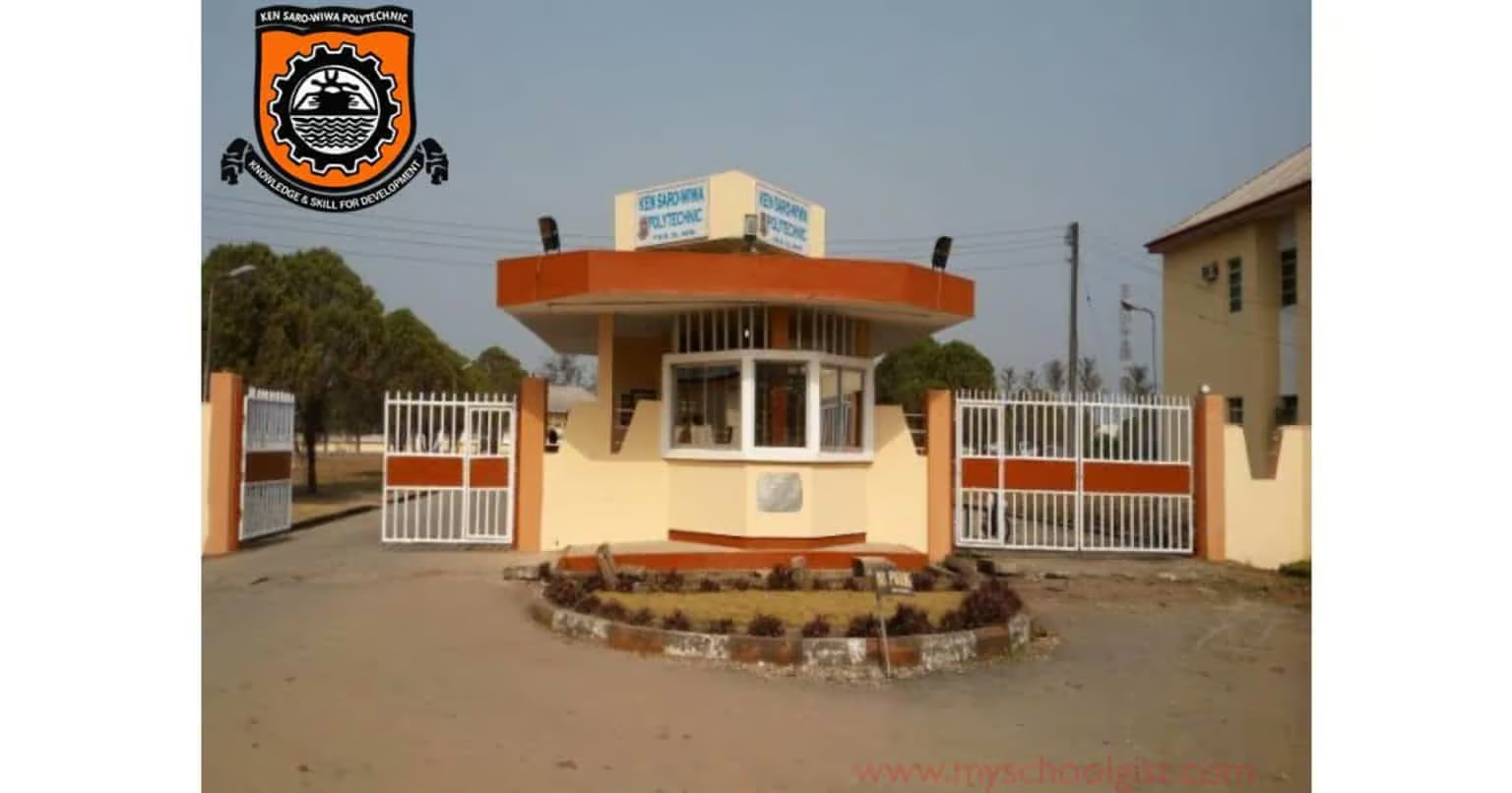
KENPOLY
KENPOLY ND Admission List 2025/2026 is Out

Kenule Beeson Saro-Wiwa Polytechnic (KENPOLY) has released its 2025/2026 admission list for National Diploma candidates. Admitted students can check their status through the JAMB CAPS portal or at the school notice board. Read below for full steps and what to do next.

If you’ve been refreshing your phone, peeking at your email every few minutes, or asking friends if the list is out, take a deep breath. The long wait is finally over. Kenule Beeson Saro-Wiwa Polytechnic (KENPOLY), once known as Rivers State Polytechnic (RIVPOLY), has officially released its admission list for the 2025/2026 academic session.


This list includes candidates who have been offered provisional admission into the school’s National Diploma (ND) programmes. For many, it’s a moment that brings both excitement and relief — a sigh that says, “At last.”

How to Check the KENPOLY Admission List

Now, let’s talk about checking that status. You’ve got two ways to go about it, and neither is hard.

  • Option 1: Visit the school notice board on campus. Yes, the good old way. Sometimes, that’s the fastest. You’ll find the list pasted neatly, with hundreds of eyes scanning for their names. It’s a whole experience on its own.
  • Option 2: Check online through the JAMB CAPS portal. This one lets you confirm your admission from anywhere.

Here’s how to do it step-by-step:

  1. Go to the JAMB E-Facility portal.
  2. Log in with your JAMB-registered email and password.
  3. Scroll down and click on “Check Admission Status.”
  4. Tap “Access my CAPS.”
  5. Select “Admission Status” to see if your name made it to KENPOLY.

What the JAMB CAPS Messages Mean

Sometimes you’ll see a message and wonder, “So what exactly does this mean?” Here’s a quick breakdown to clear that up.

  • ADMISSION OFFERED: Congratulations, JAMB has approved your admission! You can now accept or reject it right there on CAPS.
  • ADMISSION IN PROGRESS (AIP): Your school has recommended you. The process is still moving between your department and JAMB for final approval.
  • RECOMMENDED: Your school has proposed your name, and JAMB is currently reviewing it.
  • NOT ADMITTED: No offer yet. It could be that your school hasn’t released the next batch or your application is still being processed.
  • PENDING: The review is ongoing, so don’t panic. Keep checking back.

If you’ve been offered admission, send ACCEPT or REJECT as a text to 55019 or 66019 using the phone number linked to your JAMB profile. After you accept, print your JAMB Admission Letter for your records.

If you’re checking on your phone and can’t see the “Admission Status” button, don’t stress. Most mobile browsers don’t show the full CAPS page by default. Simply open Chrome, tap the menu icon, and select “Request Desktop Site.” That should fix it.

So, there you have it. The KENPOLY Admission List is out, and the next step is yours. Whether you’re seeing your name on the screen or hearing someone shout it from the notice board, the joy is the same.

KENPOLY
Check Names: KENPOLY HND Admission List 2025/2026

Kenule Beeson Saro-Wiwa Polytechnic (KENPOLY) has released its 2025/2026 HND admission list. Successful candidates can check their status on the school notice board. Read below for full details and what to do next.

If you’ve been waiting for the KENPOLY HND Admission List, well, your wait has officially ended. The Kenule Beeson Saro-Wiwa Polytechnic (KENPOLY), formerly called Rivers State Polytechnic (RIVPOLY), has published the list for the 2025/2026 academic session, and the air around the campus is already buzzing with excitement.


It’s that time again, when students gather around notice boards, some smiling from ear to ear, others scrolling through their phones nervously, praying for good news. That’s the beauty and the drama of admission season.

How to Check the KENPOLY HND Admission List

Right now, the process is simple and a bit traditional. The list isn’t online yet, so everything’s being handled the old-fashioned way.

Here’s what to do:

  • Step 1: Take a quick trip to the school campus.
  • Step 2: Visit the notice board and look for the HND Admission List.
  • Step 3: Check carefully for your name.

If you’re out of town or can’t make it to the school for now, no worries. You can always call a friend or ask someone nearby to help you check. Just make sure they get your full name right.

The feeling of spotting your name on that list? It’s like catching your breath after a long sprint. Some students even take pictures beside it — a little trophy moment before the work begins.

What Happens Next

If you find your name there, congratulations! You’ve crossed one of the biggest hurdles. But don’t relax too much just yet. The next steps usually involve clearance, paying your acceptance fee, and getting all your documents sorted.

So keep your papers ready: your admission letter, results, and ID cards. The school will soon announce further instructions, and it’s better to be prepared ahead of time.

University of Ibadan, UI
UI 1st Batch Merit Admission List for 2025/2026 is Out

Following the publication of the University of Ibadan (UI) departmental cut-off marks, the management has released the admission list for the 2025/2026 academic session.

This list contains the names of candidates who have been offered provisional admission into various undergraduate programmes.

How to Check the UI Admission List

Currently, you can only access your admission status through the JAMB CAPS portal.

Follow these simple steps:

  1. Visit the JAMB E-Facility portal.
  2. Log in with your JAMB username and password.
  3. Scroll down and select Check Admission Status.
  4. Click on Access my CAPS.
  5. Click on Admission Status to see if you have been offered admission into UI.

JAMB CAPS Admission Status Messages and Their Meanings

  1. ADMISSION OFFERED
    Congratulations! JAMB has approved your admission. You can now proceed to accept or reject the offer on the CAPS portal.
  2. ADMISSION IN PROGRESS (AIP)
    Your school has recommended you for admission. The process is ongoing and awaiting approval from the Head of Institution, followed by a final review by JAMB.
  3. RECOMMENDED
    Your school has considered you, and your application is awaiting JAMB’s review to confirm that it meets the necessary requirements.
  4. NOT ADMITTED
    You have not been considered for admission yet. This could be because the school has not released its list or your application is still under review.
  5. PENDING
    Your application is still under review, and no decision has been made yet.

Next Steps for Admitted Candidates

Candidates who have been offered admission should:

  • Accept or reject their admission by sending ACCEPT or REJECT to 55019 or 66019 using the phone number registered on the JAMB portal.
  • After accepting, print your JAMB Admission Letter for future reference.

Important Note

If you are using a phone, you may not see the Admission Status option on CAPS. Many phone users only see the welcome message. To view the full page:

  • Switch your browser to Desktop Mode.
  • The recommended browser is Google Chrome.
  • Simply go to Chrome settings and select Request Desktop Site to access the complete page.

Congratulations to all candidates who made the UI admission list!

TSU, TASU
TASU 1st Batch Merit Admission List 2025/2026 Released

The management of Taraba State University (TSU) has published the first batch admission list for the 2025/2026 academic session.

Candidates seeking admission into the university for the 2025/2026 academic session can now check their admission status.

Applicants can access their admission status through the PDF documents released by the school, as well as via the JAMB CAPS portal.

How to Check the TSU Admission List

You can view the first batch admission list for the 2025/2026 academic session through this PDF document:

TASU First Batch Admission List (PDF)

What to Do If You Are Admitted

If your name appears on the list, kindly follow these steps to secure your admission:

  1. Accept or Reject the Admission
    Log in to the JAMB CAPS Portal to either accept or reject the offer.
  2. Print Your JAMB Admission Letter
    Once you have accepted the offer, proceed to print your admission letter from the JAMB Admission Letter Portal.

Checking Your TASU Admission Status on the JAMB Portal

You may also confirm your admission status through the JAMB CAPS portal.

Follow these steps:

  1. Visit the JAMB E-Facility Portal.
  2. Log in with your JAMB username and password.
  3. Scroll down and click on “Check Admission Status.”
  4. Select “Access my CAPS.”
  5. Click on “Admission Status” to see if you have been offered admission into TSU.

We warmly congratulate all candidates who made it to the TSU admission list for this academic session. Wishing you success in your academic journey.

Ignatius Ajuru University Of Education (IAUE)
IAUE Admission List 2025/2026 Now Out on School Portal

The management of Ignatius Ajuru University of Education (IAUE) has officially released the first and second batch admission lists for the 2025/2026 academic session.

All candidates who applied for admission into IAUE during this session can now check their admission status through the published PDF documents or via the JAMB CAPS portal.

How to Check the IAUE Admission List

Candidates who have successfully undergone the physical screening, biometric verification, and JAMB UTME ranking will find their names published on these lists.

Admitted candidates are advised to frequently visit the official IAUE website for clearance procedures and other important instructions.

Acceptance Fee, Clearance, and Registration

Newly admitted students are required to pay the acceptance fee and complete the clearance/registration process. Full details can be found here: IAUE Acceptance Fee, Clearance & Registration Guidelines 2025/2026

Step-by-Step Guide to IAUE Confirm Admission on JAMB CAPS

  1. Check Admission Status on the JAMB CAPS portal.
  2. Locate your JAMB registration number.
  3. Using the phone linked to your JAMB profile, send an SMS as follows:
    • Type your JAMB registration number, leave a space, then type ACCEPT (or REJECT).
    • Example: 202551991244FA ACCEPT
    • Send to 55019 or 66019.
  4. Wait for a confirmation message (this may also include your photograph).
  5. Print your admission letter via the JAMB Admission Letter portal and your result slip from the JAMB Original Result Slip portal. Ensure both are printed in colour.
  6. Pay the acceptance fee starting from Wednesday, 17th September 2025.
  7. Report to your Faculty or Department for clearance beginning Monday, 22nd September 2025.

Deadlines

  • First Batch: Four weeks from publication date – 14th October 2025.
  • Second Batch: Four weeks from publication date – 24th October 2025.

Important Note

Candidates should continue to check for additional lists, as more names may be released in the UTME, Direct Entry, JUPEB, and Basic categories.

Congratulations to all successful candidates admitted into IAUE for the 2025/2026 academic session!

Gombe State University (GSU)
Gombe State University (GSU) Admission List 2025/2026 Out

The management of the Gombe State University (GSU)  has published the first batch merit admission list of candidates offered provisional admission into its various undergraduate programmes for the 2025/2026 academic session.

How to Check Gombe State University (GSU) Admission List

The first batch admission list is accessible here.

Candidates whose names appear in the list above have been offered provisional admission into the various Degree programmes indicated against their names. They should also print out a copy of their University Admission Letter through the following procedure:

  1. Visit the www.gsu.edu.ng University website.
  2. Click on the “Registration” module link and select “Undergraduate”.
  3. Use your JAMB NUMBER as your “Username” and “gsu2025” as your default password in the login request region.
  4. Click and pay your acceptance fee.
  5. Click on “Print Admission Letter” to print out University Admission Letter and Registration Procedure.
  6. Shortlisted candidates that cannot see their admission on GSU website should go to JAMB Efacility site and upload their Olevels.

Other Things to Do If You Are Admitted

If your name appears on the list, here are the next steps to secure your admission:

  1. Accept or Reject the Admission: Log into the JAMB CAPS portal to either accept or reject the offer.
  2. Print Your JAMB Admission Letter: Once you accept the offer, print your letter from the JAMB Admission Letter portal.

Checking Your GSU Admission Status on JAMB Portal

You can also access your admission status through the JAMB CAPS portal.

Follow these simple steps to check your status:

  1. Visit the JAMB EFacility portal: efacility.jamb.gov.ng.
  2. Log in with your JAMB username and password.
  3. Scroll down to find and select the Check Admission Status option.
  4. Click on ‘Access my CAPS’
  5. Click on ‘Admission Status’ to see if you have been offered admission into GSU.

Congratulations to all the candidates that made it to GSU admission list